


Adding a new feature to enhance the user’s social experience.

New Feature’s Full Flow
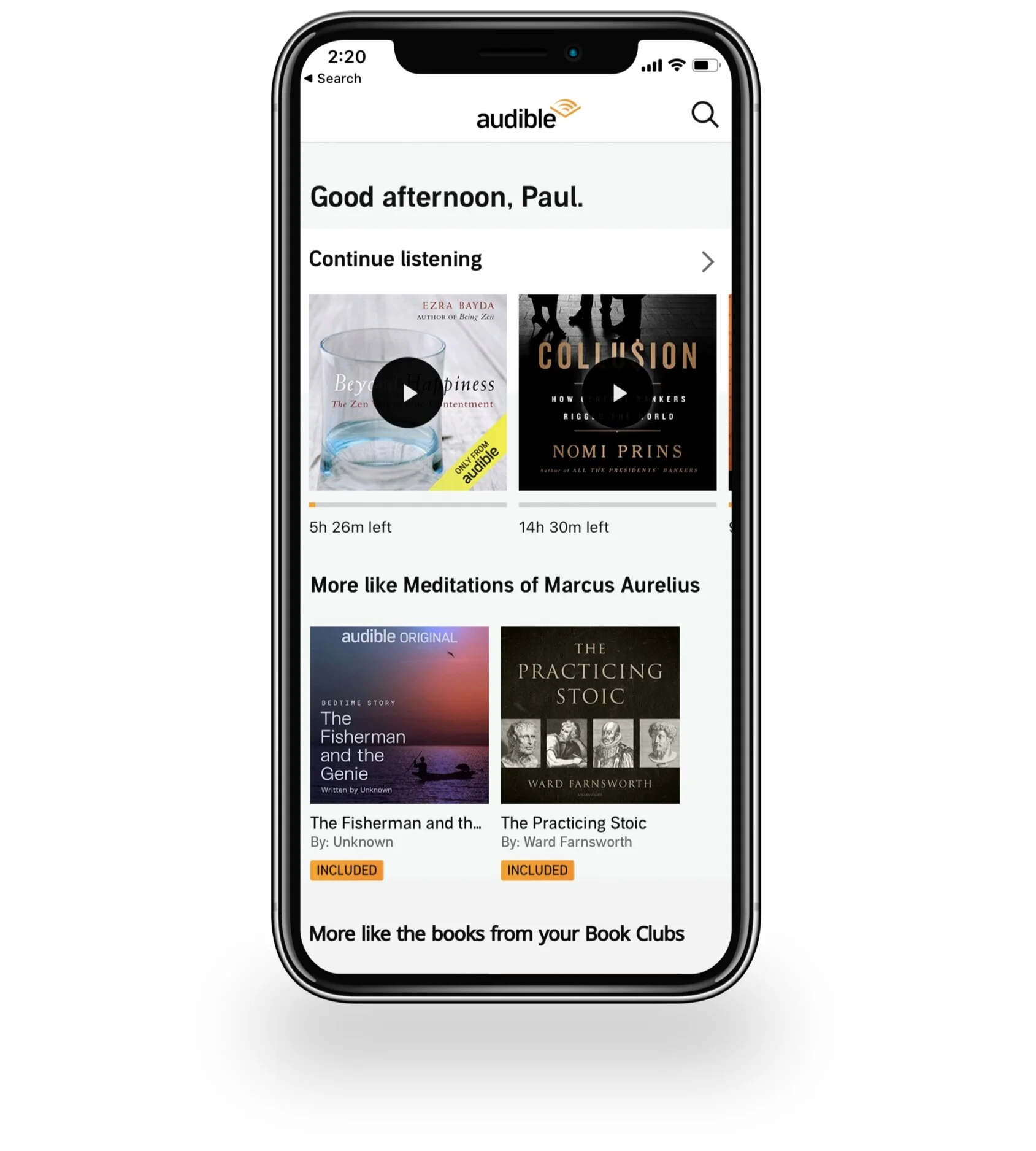
Objective
To create a “Book Clubs” feature that promotes social engagement by allowing friends to connect and discuss their book(s) of choice. This app will expand the readers’ experience without turning Audible into a social media app.
Background
For this project, I’ve chosen to enhance Audible with a new feature because while it’s well-established and useful, most users think it still has much room for improvement, especially when it comes to sharing their favorite books with fellow users.
Research
Competitive Landscape
Audible’s top 3 competitors include:
Audiobooks / AudiobooksNow / OverDrive
Competitive Analysis

Competitive Analysis Findings
All companies have similar plans, library sizes, and features.
What sets Audible apart is its large online presence (its part of Amazon, the largest online retailer in the world).
Although it’s highly unlikely that any of the companies will gain more online prominence than Audible they could develop new features that make them more valuable to their current and future user base.
It’s not too late for other apps to swing users’ loyalty. Therefore it’s important for Audible to be proactive and cater to their users’ expressed needs.
Indirect Markets
Since Audible is the first audiobook app to have this kind of feature I needed to look outside of their direct competitors and general secondary research.
Researching indirect markets was incredibly valuable because I was able to find apps that include social media elements but aren’t social media companies. In particular I found that there are two apps within the Health & Fitness market that use social media to connect users yet the apps main focus is still on the individual’s fitness progress.
Below I’ve noted what screens from each app inspired the screens on the new Audible feature.

Strava
Lets you track your running and riding with GPS, join Challenges, share photos, and follow friends.
Strava’s Club Members screen –– inspired Audible’s Members tab (UX and UI)
I adopted elements like the 1 vertical column of members, member profile pictures, names, and button to the left.
Strava’s Club Leaderboard screen –– inspired Audible’s Progress tab (UX and UI)
I adopted the member order method (ordered in terms of data).
Strava’s Event screen –– inspired Audible’s Events screen (UI)
I used a similar format for the layout of event information including: monthly calendar, attendee list / profile pictures, and specific event details (date, time, location).

WHOOP
An app that automatically tracks your body's unique physiological state to determine your personal readiness to perform each day.
WHOOP’s Community screen –– Audible’s Book Club main page (UX and UI)
I adopted the idea of multiple clubs on one screen, the ability to create your own team, and also the ability to join or remove team invites.
WHOOP’s Invitation Code Screen –– Audible Invite screen (UX and UI)
I was inspired by WHOOP’s use of minimalism and how the user receives the code (via email).
WHOOP’s Profile Images (banners and logo) –– Audible’s Customizable Club Banner and Logo
I included a customizable banner and logo to the Hogwart’s Hub page (similarly sized and same page placement as WHOOP’s).
Beginning Interviews
Participants
• 9 Audible users, Ages 20 - 60
Questions
• What has your overall Audible experience been like?
• When do you find yourself using Audible?
• Do you share the books you listen to with friends?
• What is missing in your Audible experience?
Answers
Most participants have had an overall positive experience using Audible. They enjoy Audible for its features like the timer, precise control of listening speed, and large icons while in Driving mode.
Participants use Audible during their commute, while doing household chores, and while exercising.
They occasionally share books with friends by sending screenshots or using the share button. The participants rarely share their books with friends because there’s not a convenient way to share. They expressed that they would love to share their books if there was an easier way to do so.
Overall most participants noted that a social and sharing aspect is lacking in the app.
Interview Findings
The participants enjoy Audible but it’s not an app that completely fulfills their wants –– in particular most participants mentioned wanting an easier way to share what they’re currently listening to as well as what they’ve read and would like to read.
Based off my findings I decided to create a Book Clubs feature that will give users a more social experience, allowing them to connect with fellow users without making Audible a full on social app.

Define
Book Club Feature Flow
After deciding what the feature should be I created a chart that represents all the feature’s flows.

Design
Wireframes
After creating the new feature’s flow chart, I sketched and digitized all the flows.

Audible Main Page > Clubs Main Page > Invite Page

Private Club Main Page - Books, Progress, & Discussions

Club Members Pages

Club Main Page > Events Page
Visual Exploration & Development
Using Figma I created a low fidelity prototype of the wireframes and conducted one round of usability testing with 3 participants between the ages of 25 - 40.
Based off of the users’ feedback I made changes to a couple screens.
Book Club Main Page Edits
Before (right) — I originally had the Join+ and Remove+ buttons.
After (left) — I’ve replaced the original buttons with an arrow and swipe feature that enables larger Join and Remove buttons.

Club Members Page Edits
Before (right) — I originally had the option to follow other members.
After (left) — I removed the Follow option and created a View Member button.

Audible’s UI Kit
Audible has a fully formed UI kit but unfortunately, it’s unavailable to the public. Nonetheless I was able to recreate almost the exact same UI in Figma.
Mobile Screens with UI
With the UI & UX fully developed I was able to digitize my final design. I created 5 flows (total of 12 screens) that are used for the prototype. Each flow has a specific situation that guides the user.
Below are videos that demonstrate each flow.
From left to right — Club Invite, Club Members, Progress, Group Discussion


Testing
Usability Testing
Using Figma I created a high fidelity prototype for the mobile app.
I conducted remote usability testing with 6 total participants –– two types of users:
The first 3 participants are current Audible users.
The last 3 participants are audiobook users but they do not use Audible.
I gave the users a few situational tasks based off real life situations so they could explore all possible flows.
You can test the prototype yourself.
Usability Test Findings
All participants navigated the UX with ease, they commented that it’s intuitive and straight forward. They also noted that the UI was very consistent with Audible’s current UI.
All of the Audible users have a GoodReads account (a book club app) –– unprompted, they all said that if Audible actually added the Book Clubs feature then they wouldn’t need their GoodReads account.
Two of the non Audible users have GoodReads accounts, they mentioned that if Audible created a Book Clubs feature then that may sway them to start using Audible and leave GoodReads.
All participants love the idea of consolidating content and book clubs within the same app.
Conclusion & Next Steps
Challenges & Decisions
UX
Challenge: users wants aren’t being met.
Design Decisions: create a feature that gives users the ability to share books and ideas within the app. Also, to create a feature that allows for the scheduling of virtual events.
UI
Challenge: keep the feature’s UI consistent with Audible’s current UI.
Design Decisions: use the same color palette, buttons, alignment styles, and sizing. To use fonts that closely match Audible’s.
Overall Conclusion
Some users are content with the Audible app and others are looking into new apps that better fit their wants.
Although Audible pleases many of their users, to attract new users and keep the loyalty of their current users, it’s important to be innovative.
Many users have expressed wanting to share their reads and have discussions with fellow Audible users within the app.
Creating a Book Clubs feature that promotes social engagement by sharing books and scheduling virtual events is a great addition to the app. It allows users to be social which is especially important during the pandemic. It also allows users to read more and discover new books. Lastly, in general it’s an excellent way to attract new users (who may switch to Audible from a competitor).
Next Steps
To create additional pages and flows. Public Clubs will be the first new page / flow. Also, to create forms for the submit buttons within the current Private Clubs flows. After, I would perform additional usability tests and update the design and prototype with the user feedback.
Thank you.